Less switching. More talking.
Real Parley, running on a Mac. See it all, then one step at a time.
Scan once.
You're in.
Drag Parley to Applications, then link it from WhatsApp › Linked Devices on your phone. Your chats sync in, still end-to-end encrypted.
Everything,
in Liquid Glass.
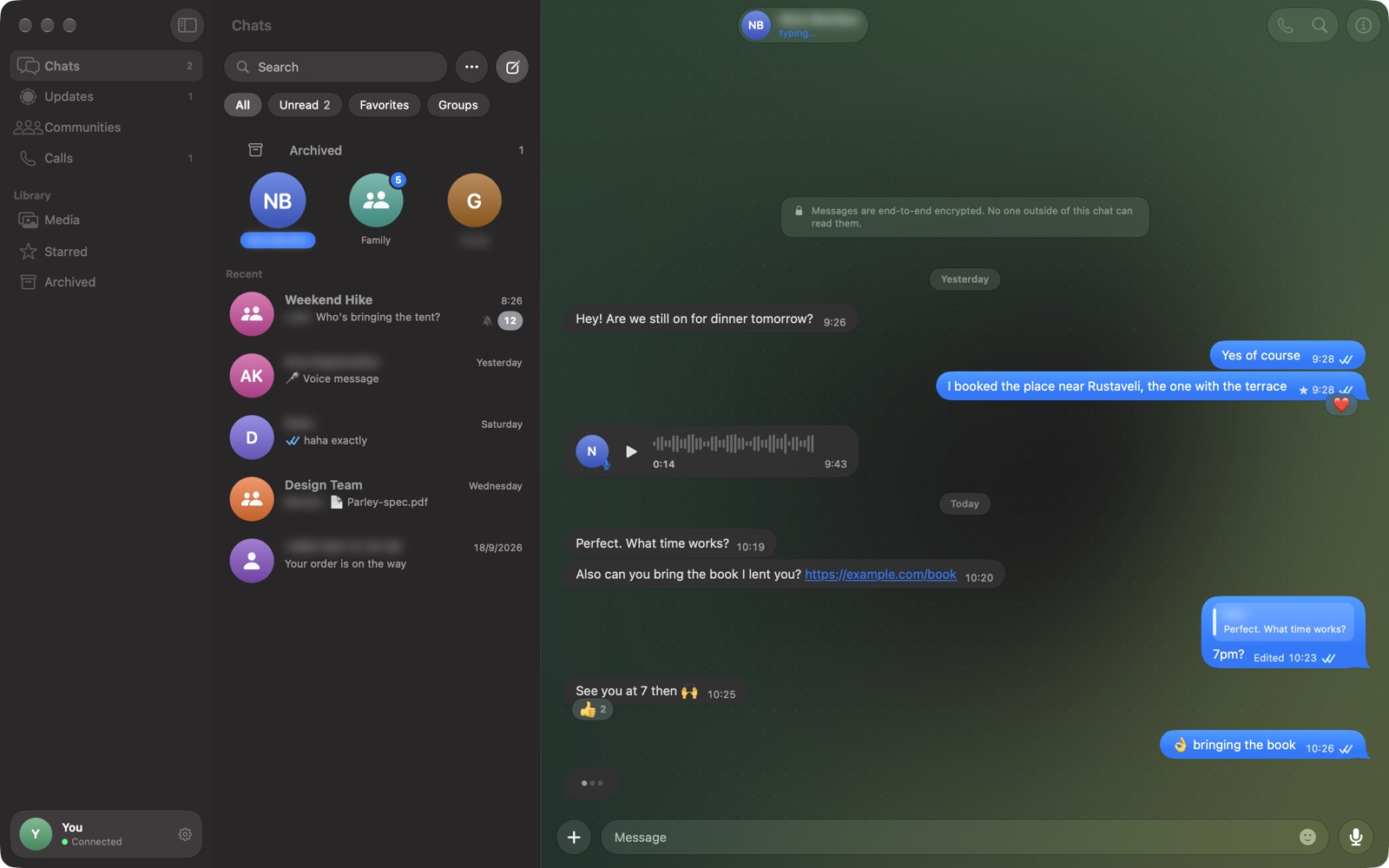
A native three-pane layout with pinned chats, filters for Unread, Favorites and Groups, and glass that shows your wallpaper through.
Reactions, replies,
voice notes.
Everything you do on your phone, with a keyboard and a big screen. Hover a message to react or reply; double-click to pick an emoji.
Answer in
a keystroke.
Quote any message, type, hit Return. Paste an image or drop a file right into the chat. GIFs, HEIC and MOV are converted for you.
Message anyone.
Even new numbers.
Press ⌘N and type any phone number. Create groups, see who's an admin, share invite links and browse everything a chat has shared.
Notifications
you can answer.
Reply straight from the banner. Or click the menu bar icon to see your latest chats and quick-reply without opening a window.
Status updates,
full screen.
Stories play edge to edge and advance on their own. Arrow keys to skip, Space to pause, and post your own text, photo or video.
Open it once. That's it.
Parley isn't notarized by Apple yet, so macOS asks you to confirm the first time.
- Drag Parley into ApplicationsOpen the downloaded Parley.dmg and drag the icon onto the Applications folder.
- Open it, then click DonemacOS says it can't verify Parley. That's expected for apps that aren't notarized yet.
- Allow it in Privacy & SecurityOpen System Settings › Privacy & Security, scroll to Security, click Open Anyway and confirm with your password or Touch ID.
xattr -dr com.apple.quarantine /Applications/Parley.app
Prefer Terminal? Run this instead of step 3. macOS asks again for each new version you download, until Parley is notarized.
Security
Apple could not verify “Parley” is free of malware that may harm your Mac or compromise your privacy.
Made for the Mac. Every detail.
Parley follows macOS conventions, so it feels familiar from the first click.
A real three-pane Mac app
Sections, chat list and conversation side by side, glass toolbars, and a sidebar you can collapse. Nothing like a web page in a window.
Reply from the banner
Every notification has Reply and Mark as Read.

Keyboard first
The shortcuts you'd expect from a Mac app, and a few more.
Make it yours
Six wallpapers behind the glass, adjustable text size, light or dark.
Clear about where your
messages go.
What goes to WhatsApp
- Your messages, end-to-end encrypted.Encrypted on your Mac, readable only by the people in the chat.
- Read receipts and typing, if you allow them.Controlled from Settings › Privacy.
What stays on your Mac
- Your chat history, photos and files.Stored in ~/Library/Application Support/Parley.
- Your settings and drafts.Log Out unlinks the Mac and deletes all of it.
Questions
Is Parley official?
No. Parley is an independent app. It isn't affiliated with, endorsed by, or connected to WhatsApp or Meta.
Can my account get banned?
Third-party clients are against WhatsApp's Terms of Service, and WhatsApp can restrict accounts that use them. Normal personal use is rarely affected, but the risk is real, and it's yours to take.
Can I make voice or video calls?
No. WhatsApp only lets phones place and answer calls. Parley alerts you when someone calls and keeps your call history.
Which Macs are supported?
Macs with Apple Silicon (M1 or newer) running macOS 26 Tahoe or later.
Why does macOS warn me the first time?
Parley isn't notarized by Apple yet. Open System Settings › Privacy & Security and click Open Anyway. You only need to do this once.
Your WhatsApp, finally at home on your Mac.
Free. No account. Just scan and chat.